Kubernetes - Cluster 1

[[TOC]]
Intro
This project creates a kubernetes cluster where will run the micro-services and maybe other stuff.
This cluster have autoscaling active, and the size of cluster and machines type dependes if is a Production Cluster or a Development Cluster.
Dependencies
 Azure Service Principals https://gitlab.com/primetag/infrastructure/azure-and-terraform-initial-setup
 https://gitlab.com/primetag/infrastructure/resource-groups
 https://gitlab.com/primetag/infrastructure/terraform-backend
This Kubernetes Cluster will have two IPs, one for Inbound and another one for Outbound. Remember to manually update the DockerSwarm firewall rules, allowing K8s Outbound IP to connect Docker Swarm. URL For That: https://portal.azure.com/#@primetag.net/resource/subscriptions/873a9cbe-a2b2-43d7-a985-c2af7d004601/resourceGroups/DOCKERDISCOVERY/providers/Microsoft.Compute/virtualMachines/ContainsWithMe/networking

You also need to manual update databases firewalls
Documentation
Pipelines config
The pipelines timeout in Gitlab was changed from the default 1h to 3h because in some cases 1h is not sufficent to update changes in kubernetes cluster.
 |
|---|
Service Principals
AKS clusters created with a service principal have a one-year expiration time. As you near the expiration date, you can reset the credentials to extend the service principal for an additional period of time. You may also want to update, or rotate, the credentials as part of a defined security policy. (...)
https://docs.microsoft.com/en-gb/azure/aks/update-credentials?WT.mc_id=Portal-Microsoft_Azure_Expert
Check the expiration date of your service principal
ENV="dev"
ENV=$(echo "${ENV}" | tr '[:upper:]' '[:lower:]') # Convert ENV to lowercase

SP_ID=$(az aks show --resource-group primetag-$ENV --name k8s-cluster-1-$ENV \
    --query servicePrincipalProfile.clientId -o tsv)

az ad sp credential list --id "$SP_ID" --query "[].endDate" -o tsv
Reset the credentials to extend the service principal for one year
# ENV="prod"  # <<<<<<<<<<<<<<<<<<<<<<<<<<<<<<<<<<<<<<<<<<<<<<<<<<<<<<<<<<<<<<<<<<<<<<<<<<<<<<<<<< SELECT ONE
# ENV="dev"   # <<<<<<<<<<<<<<<<<<<<<<<<<<<<<<<<<<<<<<<<<<<<<<<<<<<<<<<<<<<<<<<<<<<<<<<<<<<<<<<<<< SELECT ONE
ENV=$(echo "${ENV}" | tr '[:upper:]' '[:lower:]')        # Convert ENV to lowercase
ENV_UPCASE=$(echo "${ENV}" | tr '[:lower:]' '[:upper:]') # Convert ENV to UPPERCASE

SP_ID=$(az aks show --resource-group primetag-$ENV --name k8s-cluster-1-$ENV \
    --query servicePrincipalProfile.clientId -o tsv)
echo "SP_ID: ${SP_ID}"

SP_SECRET=$(az ad sp credential reset --name "$SP_ID" --query password -o tsv)

echo "Please replace the value of the variable 'ARM_CLIENT_SECRET_${ENV_UPCASE}' by this secret: '${SP_SECRET}'. (SP_ID:'${SP_ID}')"

if [[ $0 == "-zsh" ]]; then
   echo 'Press any key to continue...'; read -k1 -s
elif [[ $0 == "bash" ]]; then
   echo 'Press any key to continue...'; read -n 1 -s -r -p ""
else
   echo 'Press any key to continue...'; read -n 1 -s -r -p ""
fi

az aks update-credentials \
    --resource-group primetag-$ENV \
    --name k8s-cluster-1-$ENV \
    --reset-service-principal \
    --service-principal "$SP_ID" \
    --client-secret "$SP_SECRET"

# This operation can take a lot of time to run, like more than one hour, and all NODES will reboot in a certain moment,
# that mean that some services will be down some minutes, like 5 or 10 minutes, it depends how much time the cluster
# needs until allocate resources for new nodes (some of them will start with one replica, but will ask to scale,
# and more resources need to be allocated)
# You must define POD priorities as explained here:
# https://kubernetes.io/docs/concepts/scheduling-eviction/pod-priority-preemption/
Machine types for nodes
RBAC
- https://kubernetes.io/blog/2017/10/using-rbac-generally-available-18/
- https://kubernetes.io/docs/reference/access-authn-authz/rbac/
Some util command line
Connect to cluster
# az aks get-credentials --resource-group myResourceGroup --name myAKSCluster
az aks get-credentials --resource-group "primetag-dev" --name "tres-cordilleras"
Check connected cluster
List cluster nodes
List cluster pods
...
IP Configuration
IP for Service LoadBalancers must be inside the MC_... resource group, or you will see this error when you'll
try to configure the IPs:

Warning SyncLoadBalancerFailed 1s (x2 over 6s) service-controller Error syncing load balancer: failed to ensure load balancer: user supplied IP Address 20.50.165.3 was not found in resource group mc_primetag-dev_k8s-cluster-1-dev_westeurope
NOTA: O traefik prende o IP de ingress, pelo que se as pipelines em terraform tentarem eliminar a node pool, vai dar erro, é preciso primeiro fazer um HELM UNINSTALL TRAEFIK.
$ terraform apply -auto-approve -input=false "planfile-${ENV}"

azurerm_public_ip.public_ip_ingress: Destroying... [id=/subscriptions/1e34e640-66d9-4058-bab3-b5b5efe2dbdb/resourceGroups/MC_primetag-dev_k8s-cluster-1-dev_westeurope/providers/Microsoft.Network/publicIPAddresses/k8s-cluster-1-publicIP-ingress-dev]
Error: Error deleting Public IP "k8s-cluster-1-publicIP-ingress-dev" (Resource Group "MC_primetag-dev_k8s-cluster-1-dev_westeurope"): network.PublicIPAddressesClient#Delete: Failure sending request: StatusCode=400 -- Original Error: Code="PublicIPAddressCannotBeDeleted" Message="Public IP address /subscriptions/1e34e640-66d9-4058-bab3-b5b5efe2dbdb/resourceGroups/MC_primetag-dev_k8s-cluster-1-dev_westeurope/providers/Microsoft.Network/publicIPAddresses/k8s-cluster-1-publicIP-ingress-dev can not be deleted since it is still allocated to resource /subscriptions/1e34e640-66d9-4058-bab3-b5b5efe2dbdb/resourceGroups/mc_primetag-dev_k8s-cluster-1-dev_westeurope/providers/Microsoft.Network/loadBalancers/kubernetes/frontendIPConfigurations/a7ea3170e26f14b50ae73b75afc87043. In order to delete the public IP, disassociate/detach the Public IP address from the resource.  To learn how to do this, see aka.ms/deletepublicip." Details=[]
ERROR: Job failed: exit code 1
CERT-Manager
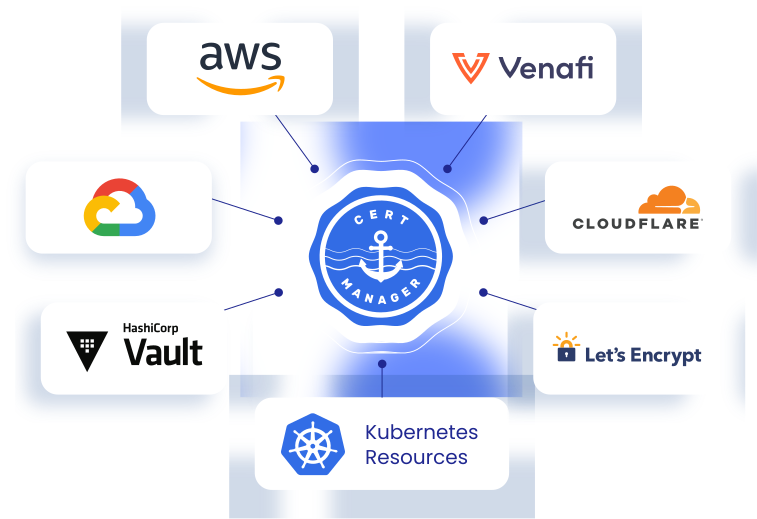
I installed cert-manager inside this cluster with Helm 3:
helm repo add jetstack https://charts.jetstack.io

helm repo update

helm install \
  cert-manager jetstack/cert-manager \
  --namespace cert-manager \
  --create-namespace \
  --version v1.11.0 \
  --set installCRDs=true
Prices
 |
|---|
With ❤️ from Primetag - Engineering Team
==========================
Random notes:
What versions are currently available for your subscription and region:
Ingress IPs are in GitLab variables: TF_K8S_CLUSTER1_INGRESS_IP_DEV and TF_K8S_CLUSTER1_INGRESS_IP_PROD
Configure.

Add IPs to Cloud Flare:

Manual commands Terraform
Example
export TF_VAR_service_principal_client_id="dc030e1e-2fda-4208-bce0-d3154a8a4de7"
export TF_VAR_service_principal_client_secret="**********************************"  # Check in GitLab variables

export TF_VAR_gitlab_token="********************"  # Check in GitLab variables
export TF_VAR_gitlab_auth_json="{ \"registry.gitlab.com\": { \"username\": \"primetag-ruimartins\", \"password\": \"********************\", \"email\": \"********************@primetag.com\" } }"  # Check in GitLab variables

WORKSPACE=$(cat .gitlab-ci.yml | grep WORKSPACE: | cut -d ":" -f2 | sed 's/ //g' | sed -e 's/^"//' -e 's/"$//')

ENV="dev"

rm -rf .terraform
rm planfile-${ENV}

terraform init -backend-config=terraform-backend/backend-config-"${ENV}".tfvars -var-file=".env-${ENV}.tfvars" &&
    (terraform workspace select ${WORKSPACE}-${ENV} || terraform workspace new ${WORKSPACE}-${ENV})

terraform validate

terraform plan -input=false -var-file=".env-${ENV}.tfvars" -out "planfile-${ENV}"

terraform apply -auto-approve -input=false "planfile-${ENV}"

terraform output kube_config

terraform destroy -var-file=".env-${ENV}.tfvars" -auto-approve -input=false

rm -rf .terraform
rm planfile-${ENV}
Read:
* https://docs.microsoft.com/en-us/azure/aks/intro-kubernetes
* https://docs.microsoft.com/en-gb/azure/aks/configure-azure-cni
* text
The service principal used by the AKS cluster must have at least Network Contributor permissions on the subnet within your virtual network. If you wish to define a custom role instead of using the built-in Network Contributor role, the following permissions are required:
Microsoft.Network/virtualNetworks/subnets/join/action
Microsoft.Network/virtualNetworks/subnets/read
* https://azureprice.net/?currency=EUR®ion=westeurope&timeoption=month&cores=4,4&ram=10,33
* https://docs.microsoft.com/en-us/azure/aks/quotas-skus-regions#restricted-vm-sizes
* https://docs.microsoft.com/en-us/azure/virtual-machines/sizes
* https://docs.microsoft.com/en-us/azure/virtual-machines/dv2-dsv2-series#dsv2-series
* Rotate Credentials:
* https://docs.microsoft.com/en-gb/azure/aks/update-credentials?WT.mc_id=Portal-Microsoft_Azure_Expert
* Managed / Ephemeral disks:
* https://learn.microsoft.com/en-us/azure/aks/cluster-configuration#ephemeral-os
* https://schnerring.net/blog/reduce-storage-costs-when-deploying-azure-kubernetes-service-clusters-with-terraform/
https://www.katacoda.com/courses/kubernetes/playground https://labs.play-with-k8s.com/